


Imagine stepping into a library where every book is scattered across the floor, their spines facing inward, their titles hidden beneath a mountain of unmarked folders. The chaos is overwhelming—like trying to find a single grain of sand on a beach. Now, picture the opposite: a pristine, well-lit space where each document rests in its designated place, easily accessible with a single click. That’s the power of a digital filing system. It’s not just about storage; it’s about transforming chaos into clarity, clutter into control, and frustration into efficiency. Let’s build yours.
—
The Foundation: Why a Digital Filing System is Your Business’s Unsung Hero
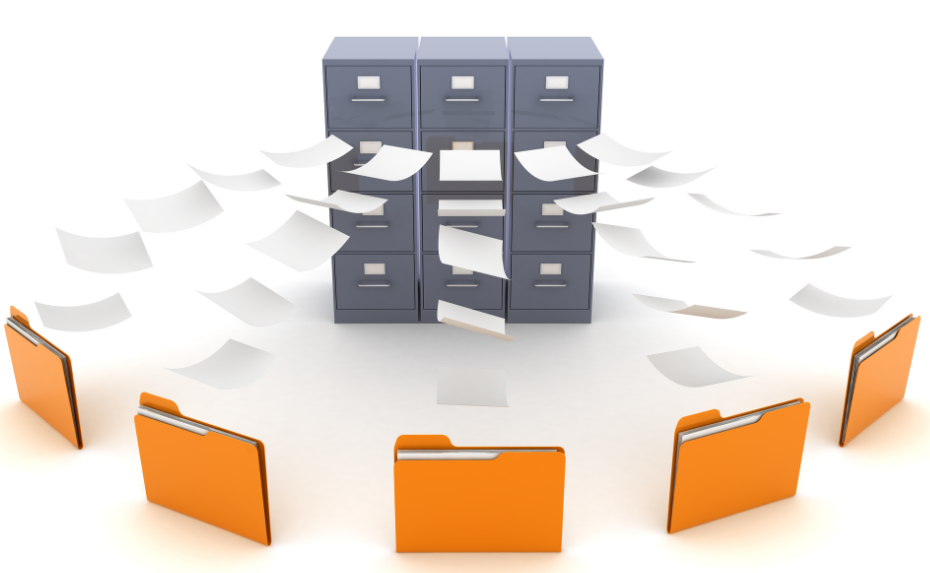
In the digital age, paper is a relic. Yet, many businesses still drown in a sea of disorganized files—PDFs buried in emails, spreadsheets lost in cloud folders, and contracts tucked away in forgotten desktop directories. A digital filing system isn’t just a luxury; it’s a necessity. It’s the difference between a team that spends hours searching for documents and one that spends minutes accessing them.
Consider this: According to a McKinsey report, employees spend nearly 20% of their workweek searching for internal information. That’s a full day every week lost to inefficiency. A well-structured digital filing system slashes that time, freeing up mental space for creativity and strategy. It’s the backbone of productivity, the silent guardian of your sanity.
—
Designing Your Digital Library: Structure That Stands the Test of Time
Building a digital filing system is like designing a library. The first step? Defining your categories. Think of these as the main sections of your library—fiction, non-fiction, reference, etc. For a business, these might be departments (HR, Finance, Marketing), project types (Client Work, Internal Initiatives), or document types (Contracts, Invoices, Reports). The key is consistency. Every file should have a clear home.
Next, create a hierarchy. Just as a library has shelves, sub-sections, and labeled aisles, your digital system needs folders, subfolders, and a logical naming convention. For example:
- Company Name
- Finance
- Invoices
- Tax Documents
- Budget Reports
- Marketing
- Campaigns
- Social Media Assets
- Brand Guidelines
- Finance
Pro tip: Use descriptive, consistent naming conventions. Instead of “Report1.pdf,” opt for “Q3_2024_Sales_Report.pdf.” This makes searching a breeze and eliminates the “where did I save that?” panic.
—
The Tools of the Trade: Software That Turns Chaos into Order
Not all digital filing systems are created equal. The right tool can mean the difference between a system that’s a joy to use and one that’s a digital black hole. Here are the top contenders:
1. Cloud-Based Solutions: The Nomadic Librarian
Platforms like Google Drive, Dropbox, and Microsoft OneDrive are the backpacks of the digital world—lightweight, portable, and always within reach. They’re ideal for small businesses or teams that need accessibility across devices. Features like version history, real-time collaboration, and AI-powered search make them indispensable.
2. Document Management Systems (DMS): The High-Tech Archivist
For businesses drowning in paperwork, a DMS like DocuWare, M-Files, or RecordsKeeper is a game-changer. These systems don’t just store files; they understand them. With OCR (optical character recognition), metadata tagging, and workflow automation, they turn raw data into actionable intelligence. Imagine a system that automatically sorts invoices, flags overdue payments, and routes contracts for approval—all without lifting a finger.
3. Hybrid Systems: The Best of Both Worlds
Some businesses thrive with a blend of cloud storage and specialized DMS. For example, use Notion for project-based files and QuickBooks for financial documents. The key is integration—ensure your tools talk to each other to avoid silos.
—
The Art of Metadata: Giving Your Files a Digital Soul
Metadata is the unsung hero of digital filing systems. It’s the invisible glue that holds your documents together, making them searchable, sortable, and meaningful. Think of it as the call number on a library book—without it, finding anything is a guessing game.
Here’s how to leverage metadata effectively:
- Tags and Keywords: Assign relevant tags to files (e.g., “Client X,” “2024,” “Contract”). This turns your system into a searchable database.
- Custom Fields: Add attributes like “Expiry Date” for contracts or “Priority” for tasks. Tools like Airtable excel at this.
- Automation: Use tools like Zapier or Make (Integromat) to auto-tag files based on rules (e.g., “All PDFs from Client Y go to the ‘Contracts’ folder”).
Pro tip: Keep it simple. Too many metadata fields can overwhelm. Start with 3-5 core tags and expand as needed.
—
Security and Backup: The Digital Firewall
A filing system is only as strong as its weakest link. Security isn’t just about locking the door; it’s about building a fortress. Here’s how to protect your digital library:
1. Access Control: Who Gets the Keys?
Not everyone needs access to every file. Implement role-based permissions to restrict sensitive documents. For example, only HR should see employee contracts, and only finance should access tax records. Tools like Okta or Microsoft Entra ID can help manage this.
2. Encryption: The Invisible Shield
Encrypt files both at rest and in transit. Tools like VeraCrypt (for local files) and Tresorit (for cloud storage) add an extra layer of security. Remember: If a hacker can’t read your files, they can’t steal them.
3. Backup: The Safety Net
Even the best systems fail. Implement a 3-2-1 backup strategy:
- 3 copies of your data (original + 2 backups).
- 2 different media types (e.g., cloud + external hard drive).
- 1 offsite backup (e.g., a remote server or another cloud provider).
Tools like Backblaze or AWS S3 can automate this process.
—
Training and Maintenance: Keeping the System Alive
A digital filing system is a living organism—it grows, changes, and evolves. But without proper care, it can become a tangled mess again. Here’s how to keep it thriving:
1. Onboarding: Teach the Rules of the Library
Introduce new team members to your system with a training session. Walk them through the folder structure, naming conventions, and metadata rules. Create a quick-reference guide or a short video tutorial to reinforce learning.
2. Regular Audits: The Digital Spring Cleaning
Set a quarterly reminder to review your system. Ask:
- Are there duplicate files?
- Are folders overcrowded?
- Are old files still relevant?
Archive or delete what you don’t need. Tools like Duplicate Cleaner can help identify redundancies.
3. Feedback Loop: Evolve with Your Needs
Your system should adapt as your business grows. Encourage team members to suggest improvements. Maybe a new project type needs its own folder, or a metadata field is missing. A flexible system is a resilient one.
—
The Payoff: A System That Works as Hard as You Do
Building a digital filing system isn’t a one-time project; it’s an investment in your future. It’s the difference between a business that’s constantly putting out fires and one that’s running like a well-oiled machine. With the right structure, tools, and habits, you’ll spend less time searching and more time creating.
So, take the first step today. Audit your current chaos, design your digital library, and watch as your productivity—and sanity—soar. After all, in the digital age, the most organized minds win.
Leave a comment