


The Ecosystem of Efficiency
The modern professional is not merely a worker; they are an orchestrator of digital signals. Every day, we toggle between spreadsheets, email clients, project dashboards, and communication platforms. This constant context-switching is the silent thief of time. The solution does not lie in finding a single, monolithic application that does everything. Rather, it lies in the deliberate curation of an ecosystem where tools converse. This article explores the transformative power of integrated productivity tools—not as a list of software, but as a philosophy of work that eliminates friction and amplifies output.
Beyond the Silo: The Case for Integration
Standalone tools are lonely tools. A task manager that does not communicate with your calendar is a passive to-do list. A CRM that cannot pull data from your email is a glorified address book. The true value of productivity software is unlocked when data moves without human intervention. Integration eliminates the “swivel chair” effect—the physical and cognitive act of copying information from one source to another. When a project management update automatically triggers a notification in your team chat and logs a time entry in your billing software, you are no longer managing tools; you are managing results. This networked approach transforms reactive administration into proactive workflow management, allowing knowledge workers to focus on high-level strategy rather than data entry.
What to Expect: A Taxonomy of Content
When exploring articles on integrated tools, readers should anticipate a distinct shift from “how-to” mechanics to “why-it-matters” narratives. The content you will find in this space typically falls into three specific categories:
1. The Workflow Blueprint
These are detailed explorations of specific automation chains. For example, a piece might dissect how a sales team can integrate a lead capture form (Typeform) directly into a CRM (HubSpot), which then automatically assigns tasks to a sales rep in a project tool (Asana), and logs the interaction in a communication platform (Slack). These articles read like architectural schematics. They are less about the software itself and more about the logic of the connection. Expect flowcharts, step-by-step logic tables, and “if-this-then-that” explanations that are heavy on business process logic rather than superficial feature lists.
2. The Strategic Pitfall Analysis
Integration is not a panacea; poorly planned integration can create a cacophony of notifications and redundant data. Sophisticated articles will address the “infrastructure tax”—the upfront cost of planning and implementing these connections. They will cover issues like data duplication, permission mapping (who sees what), and the loss of data fidelity when moving information between systems with different field names. A strong piece will not shy away from the complexity, offering readers a realistic view of the maintenance required to keep a digital ecosystem healthy.
3. The Cultural Shift Narrative
Beyond the technical, the most compelling content examines the human element. An integrated system imposes a certain discipline. If your time-tracking tool is synced to your payroll software, there is no “rounding up.” If your document repository logs every edit, accountability becomes inherent. Readers can expect articles that explore how integration changes organizational culture—moving from a culture of trust based on intent to a culture of trust based on transparency. These pieces often include case studies of teams that resisted the change initially, only to find that the friction reduction increased morale, not surveillance anxiety.
Images as Arguments
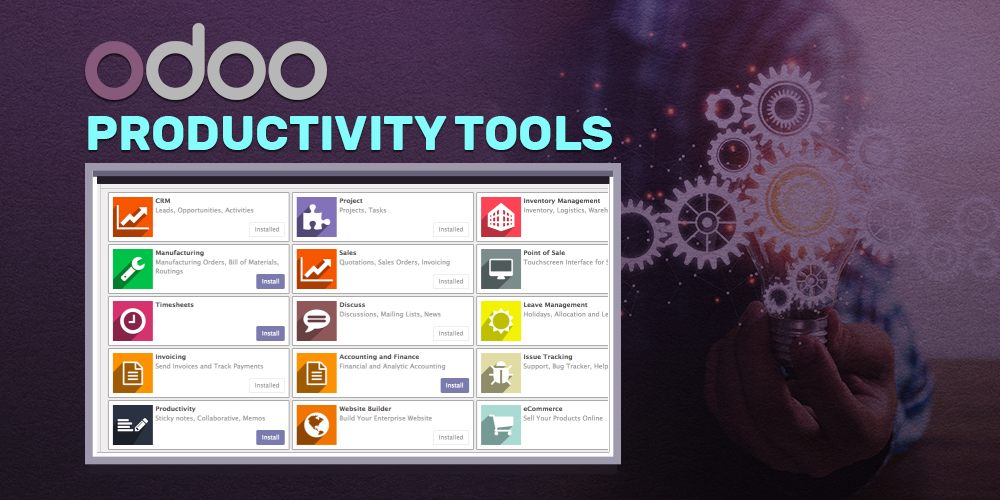
In any deep dive into integrated tools, the visual component is not decorative; it is explanatory. A well-chosen screenshot of a “zap” or a “webhook” configuration tells a story that text cannot. Look for images that show the negative space of process—the gaps that integration fills. For instance, an image of a unified dashboard showing a single ticket moving from “Inbox” to “Invoiced” without a single click is more powerful than a generic stock photo of a keyboard. These visuals serve as proof of concept, grounding the abstract idea of “efficiency” in concrete, observable data.

The Return on Attention
Ultimately, the productivity power of integrated tools is not about doing more work faster. It is about reclaiming the cognitive bandwidth lost to administrative overhead. A reader should walk away from a well-researched article on this topic with a clear mental model: Integration is the architecture of attention. Every automated data transfer is a moment of mental energy preserved for creative thought, strategic planning, or human connection. The articles you encounter will vary in depth—some offering light inspiration, others offering deep technical blueprints—but they all share a singular thesis: that the best tool is not the one with the most features, but the one that talks best to the others.
Leave a comment