


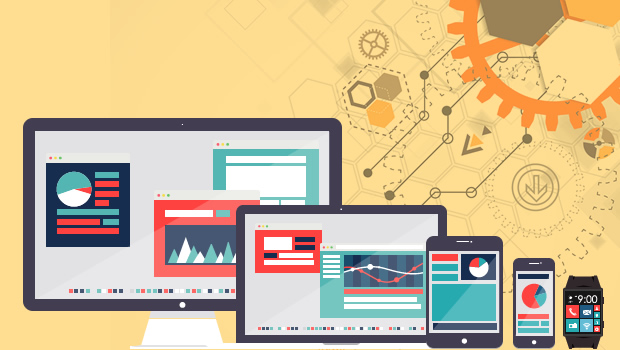
We live in an era where our digital lives are spread across multiple screens—smartphones, tablets, laptops, and even smartwatches. While these devices offer unparalleled convenience and connectivity, they also present a unique challenge: maintaining focus and productivity in a landscape that constantly pulls our attention in different directions. The modern world demands adaptability, but without intentional strategies, the multi-device reality can lead to distraction, overwhelm, and burnout. The key to thriving in this environment lies not in resisting technology, but in mastering how to use it wisely. This guide explores practical ways to harness the power of multiple devices while preserving your mental clarity and output.
The Myth of Multitasking: Why Less Is More
One of the most pervasive misconceptions about productivity in a multi-device world is the idea that multitasking leads to efficiency. In reality, the human brain is not wired to perform multiple complex tasks simultaneously. Studies show that switching between devices or apps—checking a message on your phone while writing an email on your laptop—can reduce productivity by up to 40%. This phenomenon, known as task-switching cost, drains cognitive resources and increases errors.
Instead of glorifying multitasking, adopt a monotasking approach. Focus on one device and one task at a time. Use your smartphone for quick communication, your tablet for reading and note-taking, and your laptop for deep work. By assigning specific roles to each device, you create mental boundaries that reduce cognitive load and improve concentration. Tools like Focus Mode on smartphones or Split View on tablets can help compartmentalize your workflow without constant switching.

Curating Your Digital Ecosystem: Quality Over Quantity
The average person uses between five and ten apps daily across multiple devices. While apps are designed to simplify life, an overloaded digital ecosystem can become a source of stress. Not all tools are created equal—some enhance productivity, while others create noise. The first step to staying productive is auditing your digital tools and keeping only what serves your goals.
Start by categorizing your apps into three groups: Essential (e.g., calendar, email, project management), Supportive (e.g., note-taking, cloud storage), and Distracting (e.g., social media, gaming). Eliminate or limit the latter. Use a unified platform like Notion, Trello, or Asana to consolidate tasks and notes across devices. Syncing your tools ensures that you’re not jumping between apps to find information, reducing friction and mental clutter.
Another strategy is to standardize your tools across devices. If you use Google Workspace for documents, stick with it on all platforms. If you prefer Apple Notes, avoid mixing in Evernote. Consistency reduces the cognitive effort required to navigate different interfaces and minimizes the risk of losing track of important files.
Creating a Seamless Workflow: Syncing Without Overwhelm
In a multi-device world, seamless integration is everything. The ability to start a task on your phone during a commute and finish it on your desktop at home is a productivity superpower—if managed correctly. However, syncing devices too aggressively can lead to information overload and a loss of control over your time.
Begin by setting up automatic syncing for essential files and calendars, but with boundaries. For example, enable cloud sync for documents and reminders, but disable notifications for non-urgent updates. Use Do Not Disturb modes on all devices during deep work sessions, regardless of where you’re working. This ensures that your focus isn’t derailed by a notification on your tablet while you’re typing on your laptop.
Another effective tactic is to designate device-specific roles. Use your smartphone for quick tasks like responding to messages or checking schedules. Reserve your laptop or desktop for complex work like writing, designing, or analyzing data. This division prevents the feeling of being tethered to one device and allows you to move fluidly between tasks without losing momentum.

Managing Attention: The New Currency of Productivity
Attention is the most valuable resource in the digital age. With notifications, ads, and endless content vying for your focus, maintaining productivity requires intentional attention management. The first rule? Turn off non-essential notifications. Every ping from social media, email, or news apps fragments your focus and reduces your ability to think deeply.
Implement scheduled check-ins instead of constant monitoring. For example, check emails only three times a day—morning, afternoon, and evening. Use apps like Freedom or Cold Turkey to block distracting websites during work hours. These tools work across all your devices, ensuring consistent boundaries no matter where you are.
Another powerful strategy is to practice digital mindfulness. Before starting a task, take a moment to close unnecessary browser tabs, silence your phone, and clear your workspace. This ritual signals to your brain that it’s time to focus. Over time, these small habits train your mind to enter a state of flow more quickly, even when switching between devices.
Designing Your Environment: Ergonomics and Intentionality
Your physical and digital environments shape your productivity more than you might realize. A cluttered desk with multiple devices strewn about can create visual noise, while a poorly arranged workspace can lead to physical strain. To optimize your multi-device setup, consider both ergonomics and intentionality.
Start with your physical space. Position your laptop at eye level to reduce neck strain, and use a separate keyboard and mouse if you work on a desk for extended periods. Keep your smartphone and tablet within arm’s reach but not in direct line of sight to minimize distractions. Use cable organizers or wireless charging stations to reduce visual clutter.
Digitally, organize your devices with consistent layouts. Arrange app icons and widgets in a way that mirrors their function—group productivity tools together, communication apps in another section, and entertainment apps in a separate folder. On your desktop, use virtual desktops (available on Windows and macOS) to separate workspaces for different projects. This prevents the feeling of being overwhelmed by a single chaotic screen.
The Future of Productivity: Adapting to an Always-On World
As technology continues to evolve, so too will the ways we interact with our devices. The rise of AI assistants, foldable screens, and augmented reality will further blur the lines between physical and digital workspaces. To stay ahead, focus on building adaptive habits rather than relying solely on tools.
One emerging trend is the use of AI-powered productivity assistants that learn your habits and suggest optimal workflows. These tools can prioritize tasks, summarize emails, and even draft responses across devices. While they offer convenience, always review AI-generated content to ensure accuracy and alignment with your goals.
Another consideration is digital minimalism. Periodically assess whether all your devices and apps are truly adding value. The goal isn’t to own the latest gadgets or use every feature available—it’s to create a system that supports your well-being and goals. Sometimes, less really is more.
Conclusion: Productivity as a Practice, Not a Perfection
Staying productive in a multi-device world isn’t about having the most advanced tools or mastering every app—it’s about creating a system that works for you. It’s about understanding your habits, setting boundaries, and designing environments that support focus rather than fragmentation. The devices you use are tools, not masters. By curating your digital ecosystem, managing your attention, and designing intentional workflows, you can turn the chaos of multiple screens into a seamless, empowering experience.
Remember: productivity isn’t a destination. It’s a practice—one that evolves as technology does. Stay mindful, stay adaptable, and let your devices serve your goals, not the other way around.
Leave a comment